
The original PDF, page by page.
Read the whole PDF with zoom and page navigation. “Download original” saves the same document bytes contained in the P7M, without recreating it.
Extract the PDF for freeExtract the original PDF from a P7M or create a PDF reading copy of an XML invoice.
Free, with no registration. Your files stay on your device.
or choose one from your device
P7MXMLPDFup to 50 MBYour file stays on your device.Privacy
P7M is the signed envelope. The result depends on the document inside it.
Read the whole PDF with zoom and page navigation. “Download original” saves the same document bytes contained in the P7M, without recreating it.
Extract the PDF for freeView FatturaPA invoice data, download the original XML or generate a PDF reading copy. The PDF copy does not replace the XML file.
Read an XML.P7M invoiceAn extracted or generated PDF does not include the signature information in the CAdES envelope. Keep the original P7M if you also need its signatures.
Understand signature checks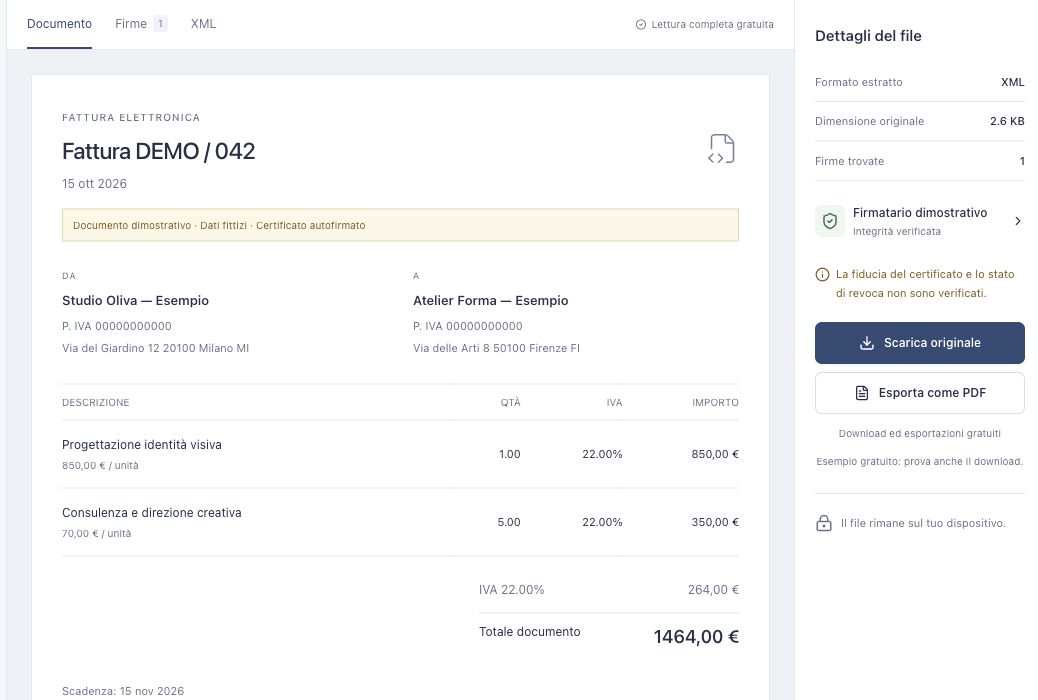
If the content is already a PDF, no graphical conversion is needed: the browser extracts the original file from the P7M envelope. Its layout and content are preserved; the filename is derived from the P7M name.
For a FatturaPA XML invoice, “Export as PDF” creates a new readable document from the invoice data. This tool does not convert generic XML, Word documents or images: download the original content and open it in a suitable program.
Download the attachment again if it is incomplete. A detached signature also needs the original document; a protected PDF may prevent previewing. The guide helps you tell these cases apart.
Troubleshoot opening problemsReading, extraction and export happen in browser memory. We do not send or store file contents on our servers.
How we handle your filesFrom reading to downloading: how the free service works.
Choose the P7M in the box above and wait for it to open. If it contains a PDF, choose “Download original”. For a FatturaPA XML invoice, choose “Export as PDF”. Your browser saves the file without an account or payment.
No. When the envelope already contains a PDF, downloading preserves the same original document bytes. Pages are not recreated and no compression is applied. The filename is derived from the P7M name.
You get a new reading copy generated from invoice data using its own layout. It is not a PDF already stored in the envelope and does not replace the XML. You can also download and keep the original XML.
It depends on the contents. If the P7M contains a PDF, the same original PDF is extracted. For a FatturaPA XML or XML.P7M invoice, you can generate a PDF reading copy. Other formats remain downloadable in their original format and are not converted to PDF.
Yes. Full-document reading, original downloads and PDF export of XML invoices are currently free. No registration, subscription or license code is needed.
No. Contents are read in browser memory and downloads are created on your device. We do not send or store documents on our servers. After closing or reloading the page, you will need to choose your file again.
Yes, if you also need the signature information in the CAdES envelope. An extracted or generated PDF does not include that information. Keep the received P7M and downloaded document separately.